Strong brand photos can instantly change how people see your business. Whether you’re running an online store, managing social media, or building a personal brand, visuals often speak louder than words. Clean, eye-catching images build trust, boost engagement, and help your brand stand out in crowded feeds. The good news? You don’t need expensive software or a professional design team to get polished results. CapCut Desktop Photo Editor offers smart AI-powered tools that make professional-quality brand photos easy to create—even if you’re not a designer.
What Makes CapCut Photo Editor a Smart Choice for Branding
CapCut Photo Editor is more than just a basic editing tool. It uses AI to understand layouts, styles, and visual balance, which means you spend less time adjusting settings and more time creating.
Key benefits include:
- AI-powered design generation
- Simple interface for beginners
- Flexible customization options
- Support for branding visuals like product shots, posters, banners, and social graphics
- Multiple export formats for web and print
Whether you’re refreshing existing photos or creating brand-new visuals, CapCut helps you achieve a clean, professional look without stress. And with CapCut’s Web version, you can also crop video clips and make quick, browser-based edits to keep brand visuals consistent across every platform.
Transform Your Brand Photos with CapCut Photo Editor
CapCut Photo Editor combines ease of use with AI intelligence, making it ideal for entrepreneurs, marketers, content creators, and small business owners who want fast, reliable results.
Step 1: Start with CapCut’s AI Design Workspace
Begin by opening CapCut Desktop Video Editor on your computer. From the main dashboard, look to the left-hand panel and choose “AI Design.” This section is where CapCut’s intelligent photo tools live.
The AI Design workspace lets you create and enhance a wide range of visuals, including:
- Brand identity images
- Marketing graphics
- Product visuals
- Promotional posters
- Social media creatives
Step 2: Upload Your Photo and Describe Your Brand Vision
Once inside the AI Design area, it’s time to bring your idea to life. You can either upload an existing brand photo or start with a creative concept. Use the text prompt box to explain what you want the final image to look like. The more specific your description, the better the AI can match your vision. You can also upload a reference image to guide the style, colors, or layout.
For example, you might describe:
- The type of product or brand
- The mood (luxury, minimal, playful, bold)
- The background style
- Color tones or lighting preferences
For example, “Create a high-end brand visual showcasing a stylish shampoo bottle with a clean, modern design. The bottle should look polished and sophisticated, set against a soft, neutral backdrop with gentle lighting that enhances its premium, luxurious appeal. CapCut’s AI processes your text and image inputs together, generating visuals that align with your branding goals. This step is ideal for creating consistent visuals across campaigns without repeating manual edits.
Step 3: Refine, Customize, and Export Your Final Image
After your image is generated, you’re not locked into the first result. CapCut gives you multiple editing tools to fine-tune your brand photo until it feels just right.
You can:
- Adjust or replace the background
- Add brand text, logos, or slogans
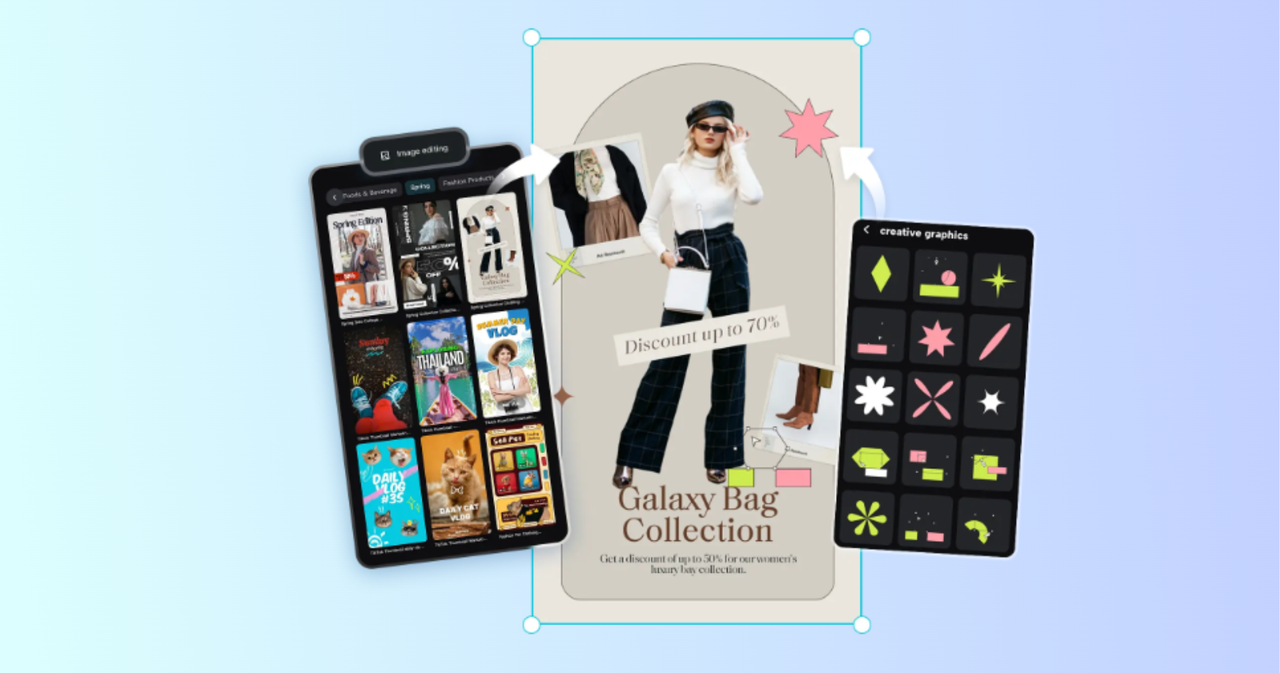
- Insert stickers or graphic elements
- Use AI outpainting to extend the image edges
- Improve composition and spacing
This is where your brand personality really comes through. Make sure colors, fonts, and overall style match your brand identity, so your visuals stay consistent across platforms. When you’re happy with the result, click “Download.” Choose the format that suits your needs—JPEG, PNG, or PDF—and select the appropriate size. CapCut also allows you to share your finished image directly to platforms like Instagram or Facebook, saving even more time.
How to Create Amazing, Strong Brand Photos in CapCut
To get the best results every time, keep these tips in mind:
- Stick to a consistent color palette for brand recognition
- Use simple backgrounds to keep focus on your product
- Avoid overcrowding images with too much text
- Match your image style to your target audience
- Save templates for future brand campaigns
With CapCut Photo Editor, small adjustments can make a big difference in how professional your brand appears.
Conclusion
Transforming your brand photos doesn’t have to be complicated or expensive. With CapCut Photo Editor, you can turn ordinary visuals into polished brand assets using AI-powered tools designed for speed and simplicity. By following the three-step process—starting with AI Design, guiding the AI with clear prompts, and refining your final image—you can create visuals that look professional, consistent, and ready to impress. If you want your brand photos to stand out without spending hours editing, CapCut Photo Editor is a smart, creative solution worth exploring.