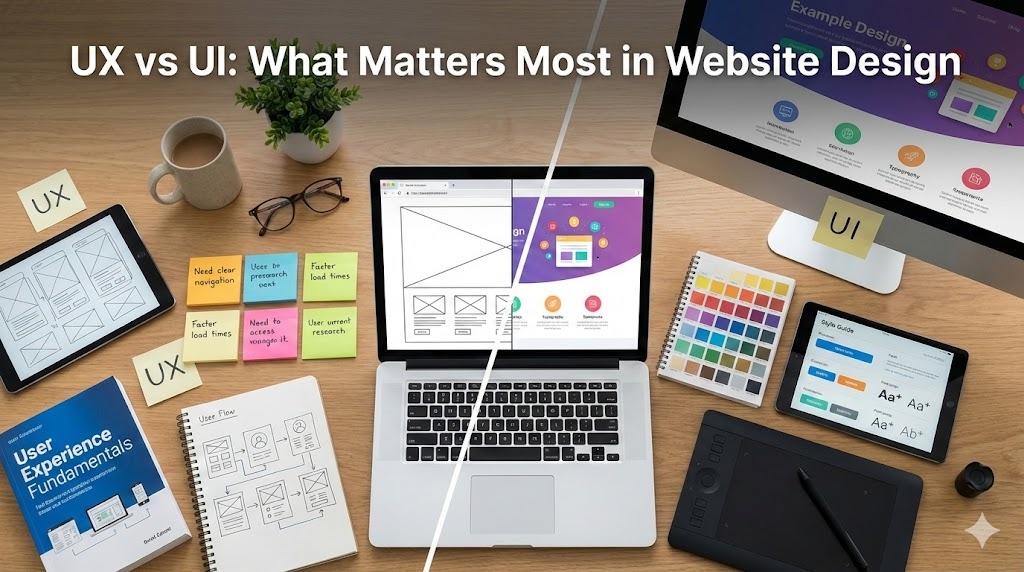
UX wins, every time, without a doubt. But it’s also true that great UX is nearly impossible without solid UI. More accurately, UX is the strategy that gets users to their goal, while the UI is the visual execution that makes it feel effortless. If you are looking to revamp your online presence, professional Website Design Services can help align your strategy with your visuals.
If the goal isn’t the aesthetics, but you want more conversions, better engagement, and a site that actually makes money, then you need to know which one to prioritise and when.
We have compiled this guide to help you understand what you need to focus on for your business website.
Understanding UX and UI in Website Design
User Experience is the sum total of a user’s journey on your website. Can they find what they need? Do they know what to do next? Does the path from landing page to checkout feel smooth or like a maze designed by a sadist?
UX takes care of structure, navigation, content order, loading speed, and how everything is connected to what users want and what you want them to do.
Here’s the difference in plain terms:
| Aspect | UX | UI |
| Focus | Journey, goals, flow | Visuals, clarity, interaction |
| Key Question | “Can users succeed easily?” | “Is it clear and easy to use?” |
| Deliverables | Wireframes, user flows, sitemaps | Mockups, style guides, components |
| Skills Needed | Research, testing, strategy | Visual design, typography, layout |
| Success Metric | Conversion rate, task completion | Visual consistency, brand perception |
Both matter. But they impact your bottom line differently.
Why UX Matters More Than UI
UX problems kill conversions before UI problems do.
A site can look average and still perform if users can find what they need, understand your offer, and complete actions without friction. Navigation works. Checkout is simple. Content answers questions at the right moment.
But a gorgeous site with terrible UX? Dead on arrival.
Users can’t find pricing. Forms are buried or confusing. Mobile navigation breaks. The path to purchase has seven unnecessary steps. You can polish that interface all day, it won’t save you.
If your goal is leads, sales, or sign-ups, UX makes those actions possible. UI makes them pleasant and trustworthy. But trust can’t fix a broken funnel.
What Happens When UX Fails?
Users bounce. They abandon carts. They leave forms half-filled. They Google your competitor instead.
No amount of beautiful typography fixes unclear value propositions. No trendy animation saves a confusing checkout flow.
What Happens When UI Fails?
Users hesitate. They question credibility. They struggle to find clickable elements. They leave because the site feels sketchy or outdated.
Poor UI damages UX. Low contrast makes text unreadable, that’s a UX problem now. Inconsistent buttons confuse users about what’s clickable, also UX. See how this works?
How UX and UI Actually Work Together
Stop thinking “versus.” Start thinking “sequence.”
Example: E-commerce Product Page
UX decides:
- What info users need before buying (price, specs, reviews, shipping)
- How to structure the page so key details are visible without endless scrolling
- That “Add to Cart” should be one click, not three
- How to reduce decision paralysis with clear options
UI executes:
- Styles the “Add to Cart” button so it visually dominates the page
- Chooses readable fonts and proper spacing for descriptions
- Uses color and contrast for accessibility
- Adds visual feedback when items go in the cart
UX says what and where. UI says how it looks and feels.
Example: Lead Generation Landing Page
UX first:
- Picks one primary goal (book a call, download a guide)
- Removes competing CTAs that split attention
- Orders content to address objections logically
- Cuts form fields from 12 to 4
Then UI:
- Makes the CTA button impossible to miss
- Uses brand-consistent visuals to build trust
- Creates scannable typography with smart spacing
- Adds whitespace to reduce visual noise
If UX is weak, multiple CTAs, vague messaging, long forms, your beautiful design accomplishes nothing.
The Biggest Mistakes (And You’re Probably Making One)
Two traps destroy website projects:
Trap 1: Obsessing Over Visuals While Ignoring UX
You see this when:
- Teams prioritize “modern look” over “does this work”
- No one reviews analytics or talks to actual users
- Complex animations hide critical content or slow load times
- Pages look stunning but convert at 0.4%
Pretty sites that don’t convert are expensive failures.
Trap 2: Neglecting UI Until It Ruins UX
Poor UI becomes a UX problem when:
- Low contrast makes text impossible to read
- Inconsistent styling makes clickable elements a guessing game
- Visual chaos overwhelms users before they can act
- Outdated design tanks credibility and trust
An unreadable interface isn’t just ugly, it’s broken.
How to Prioritise UX and UI (The Right Sequence)
Want results? Follow this order.
- Start With Goals (UX Foundation)
Define who your users are and what they want to achieve. Define what you want, sales, sign-ups, bookings, downloads.
Map the journey from first visit to success. Everything else builds on this.
- Design Structure Before Visuals (UX Framework)
Plan your site architecture. Create wireframes for core pages. Decide where CTAs go and what content appears in what order.
Test this skeleton before adding a single colour.
- Layer Visual Design (UI Execution)
Apply your design system, colours, fonts, buttons,and forms. Use visual hierarchy so users instantly know what matters. Ensure accessibility with proper contrast and sizing.
Make it beautiful, but only after it works.
- Test, Measure, Iterate (UX + UI Validation)
Track bounce rates, conversions, and funnel drop-offs. Run usability tests, even five users reveal glaring issues. Fix the biggest friction points first, whether UX or UI. Data beats opinions. Always.
The Bottom Line: UX First, UI Always, Data Above All
UX answers “Does this site work for users and business?” UI answers “Does this site communicate clearly and feel trustworthy?“
The strongest websites come from:
- Evidence-based UX foundations
- Thoughtful, consistent, accessible UI
- Continuous iteration based on real user behavior
Achieving this high standard often requires professional Website Redesign Services. Your reliable path:
- Understand users and goals
- Design the experience (UX)
- Polish the interface (UI)
- Test, measure, refine
That sequence, not “UX versus UI”, is what actually matters in website design. Stop debating. Start building in the right order.