Creating engaging social media content is no longer just an option—it’s a necessity. With platforms favoring video content, brands and creators must consistently deliver high-quality videos to keep their audience engaged. But what if you don’t have the time, skills, or budget to create professional-looking videos? That’s where Vidnoz AI comes in, making video production effortless and cost-effective. In this guide, we will provide a complete overview of Vidnoz AI, exploring its features, benefits, and why it has become an essential tool for content creators in 2025.
Part 1: A Complete Overview of Vidnoz AI
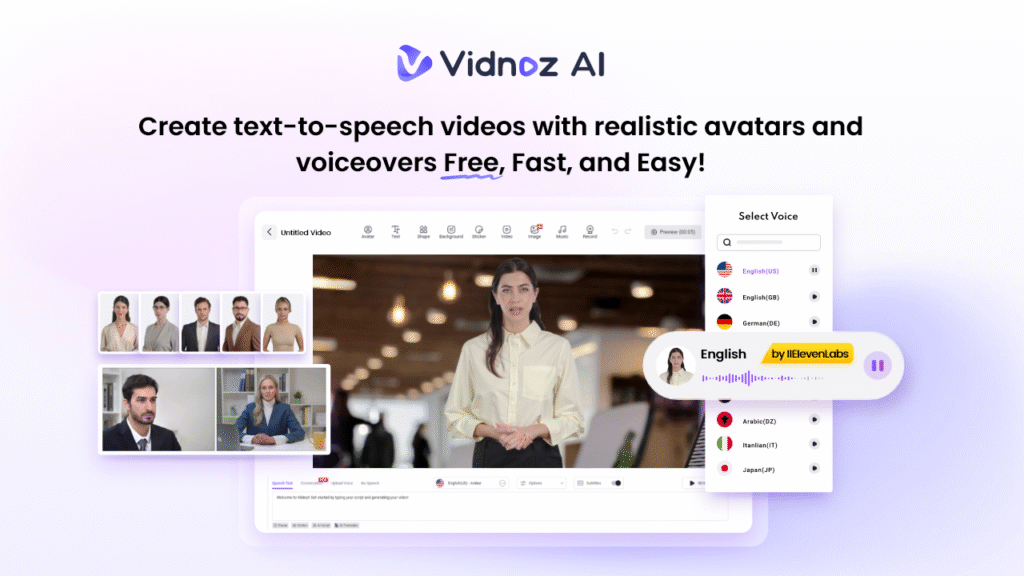
If you’re new to social media or find video creation challenging, Vidnoz AI is the perfect solution. This web-based platform lets anyone create high-quality videos effortlessly, using a simple text prompt or any source material. With Vidnoz AI, producing professional-looking social media content has never been easier. The program offers an intuitive interface, allowing non-tech and beginner creators to produce high-quality videos without editing experience. One of Vidnoz AI’s standout features is its ISO/IEC 27001:2022 certification, ensuring that your video creation process is both secure and reliable. Further, this program provides a wide range of AI tools such as AI Talking Avatar, AI Cartoon Generator, AI Voice Changer, AI Headshot Generator, AI Text to Video, Online Video Editor, AI Video Enhancer, and more.
Part 2: Key Features That Make Vidnoz AI Ideal for Content Creation
Vidnoz AI offers amazing features, making it the best tool for content creation in 2025. Here are the top features of this program:
- Customizable Templates: Vidnoz AI offers over 2800+ pre-designed templates, including hundreds specifically designed for social media content, making it easy to create engaging videos in minutes. Further, users can also design custom templates from scratch according to their requirements.
- Realistic AI Avatars: The program provides over 1700 lifelike avatars, allowing users to produce professional-quality videos without the need to hire actors. It includes avatars of teachers, chiefs, doctors, hosts, customer supporters, and more. Users can also do quick creations using Avatar Lite, and Avatar Pro offers deeper customization features.
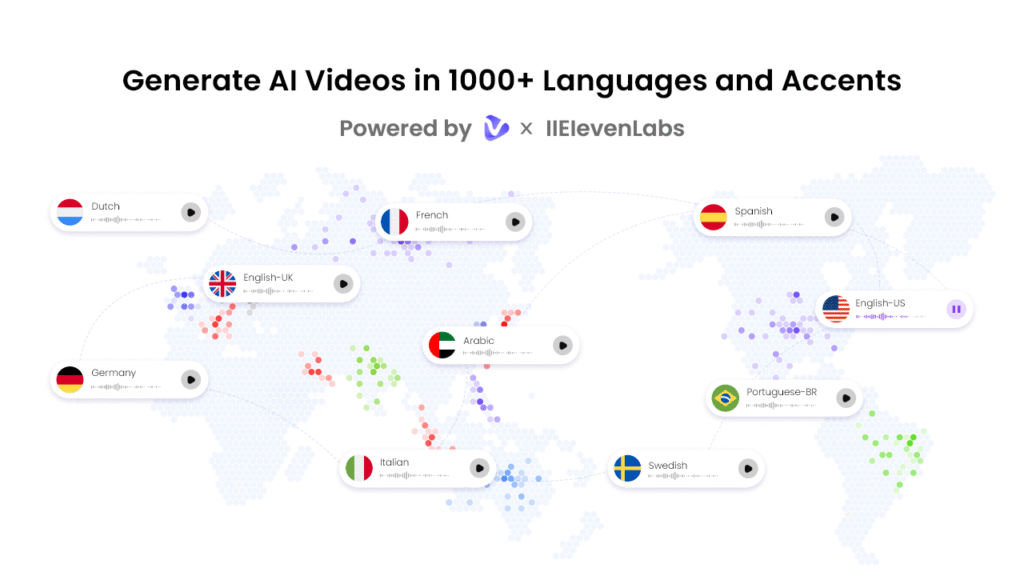
- High-Quality Voices: Vidnoz includes 1830+ natural-sounding AI voices in 140+ languages, each with unique accents and characteristics. All voices are powered by ElevenLabs, Google, and Microsoft. With voice cloning, users can create a synthetic voice using an audio recording that resembles 99% of the real voice.
- Free Version: The best part of this tool is that it also offers a free version, allowing users to create a 2-minute video daily without spending a single penny. Free version of Vidnoz AI offers advanced features and AI tools, such as AI voice changer, online video editor, AI headshot generator, and more.
- AI Video Wizard: Users can generate videos in minutes from a single prompt or any source material by using AI Video Wizard. Vidnoz AI also offers an intuitive interface, which is ideal for new social media influencers.
Part 3: How Vidnoz AI Helps You Stand Out on Social Media
As we all know, capturing attention on social media is more challenging than ever. But don’t worry, Vidnoz AI empowers creators to produce engaging videos that immediately stand out in crowded feeds.
- Dynamic Visuals: With the help of this tool, users can create eye-catching and professional-looking videos that instantly grab the attention of the audience.
- Personalization: Vidnoz AI allows you to customize videos according to your needs, from colors and logos to messaging, helping your content feel unique.
- Cross-Platform: Videos generated from this program can easily be used on different platforms, including Instagram, Facebook, TikTok, and YouTube.
- Multi-Language: The program allows users to translate videos in 140+ languages, including English, Spanish, French, Chinese, and German.
Part 4: Step-by-Step Guide to Creating Social Videos With Vidnoz AI
Making high-quality social media videos with Vidnoz is simple. Below are the step-by-step instructions:
- Open your web browser and navigate to the Vidnoz AI official site. Click on the “Create Video Now” button to begin the process. Choose a video template and avatar.
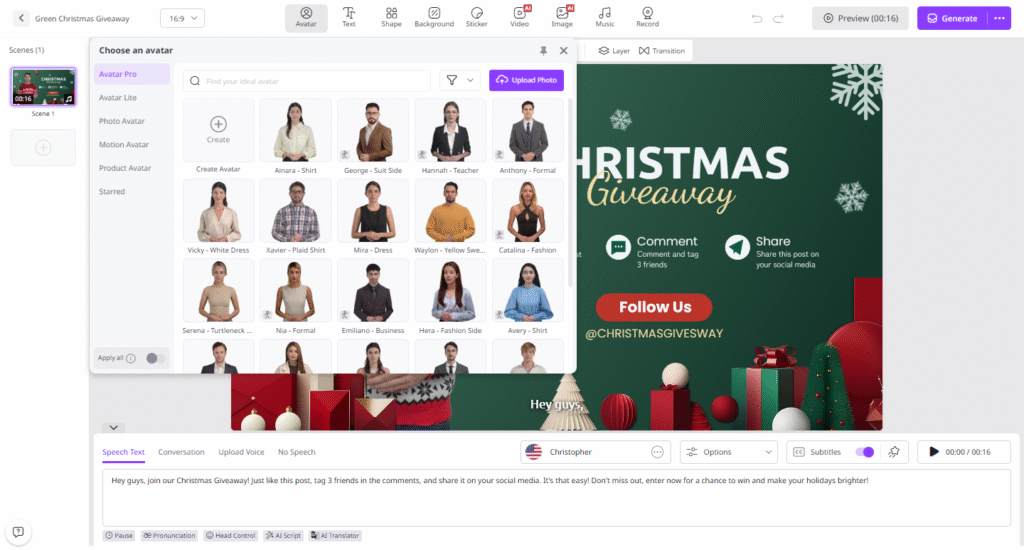
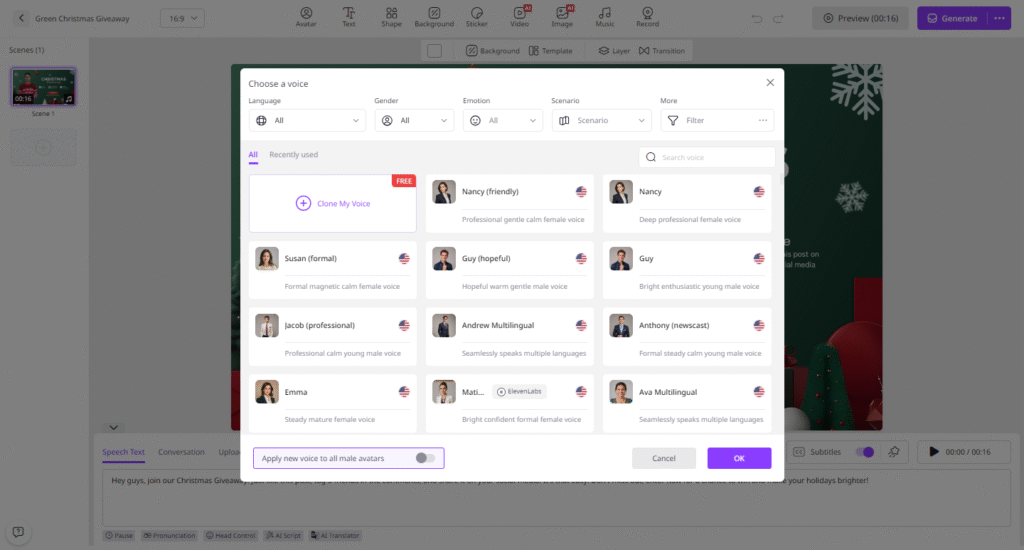
- Input your video script and select from a wide range of realistic AI voices. Users also have the option to select the languages of their AI voices.
- Next, use the Online Video Editor to customize the video according to your needs. Vidnoz AI allows you to customize the background, insert text, and add music.
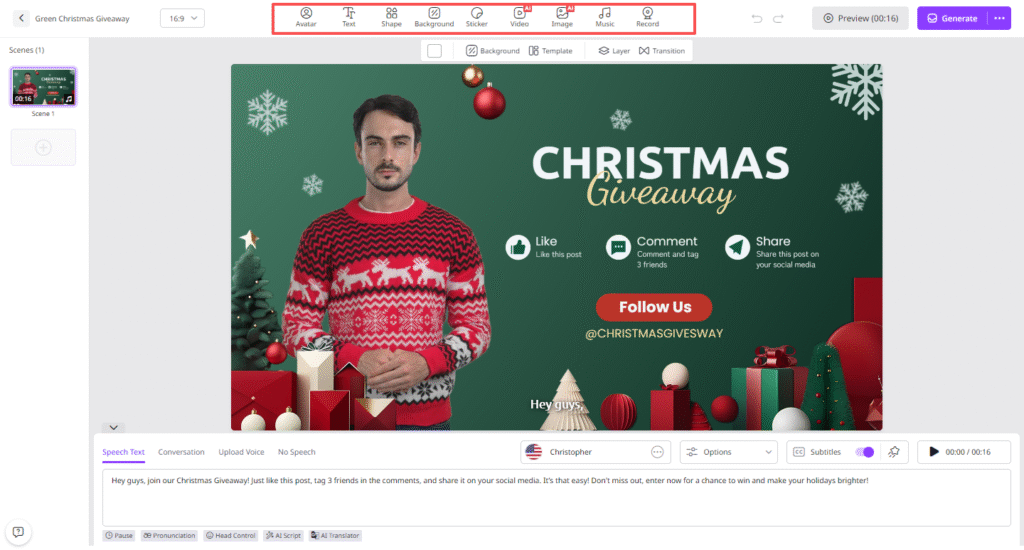
- Finally, click on the “Generate” button. Within seconds, your video will be ready and available to download. Hit the “Download” button to export it in MP4 format.
Final Thoughts
With its AI-powered templates, lifelike avatars, and customization options, Vidnoz AI is transforming the way content creators produce videos. Its intuitive interface allows creators to produce high-quality videos without any professional help, saving time and resources. Whether you’re an influencer, marketer, or educator, this tool makes professional video creation accessible to everyone.